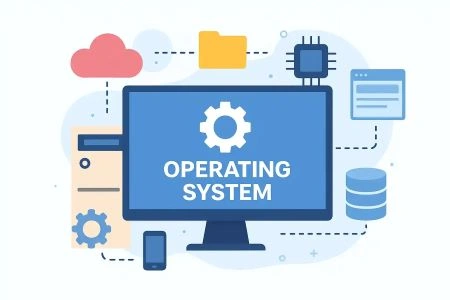
Operating System
Operating System (OS) is the most essential system software that acts as an intermediary between computer hardware and the end user. It manages and coordinates all hardware resources — such as the processor, memory, storage, and input/output devices — ensuring that software applications run smoothly and efficiently. Without an operating system, a computer would be nothing more than a collection of electronic components incapable of performing any useful task. An operating system performs several critical functions, including process management, memory management, file system management, device management, and security control. It schedules tasks and allocates CPU time to multiple processes simultaneously through multitasking, ensuring optimal system performance. Popular operating systems include Microsoft Windows, macOS, Linux, Android, and iOS, each designed for specific types of devices and user needs. The OS also provides a user interface — either a Graphical User Interface (GUI) or a Command Line Interface (CLI) — through which users interact with the system. It acts as a platform on which all other software applications are installed and executed. Security features embedded within the OS protect data from unauthorized access, malware, and system failures. As technology continues to evolve, modern operating systems have become increasingly sophisticated, supporting cloud integration, virtual machines, and real-time processing. The operating system remains the core foundation of every computing device, making it one of the most critical components in the world of information technology.
An Operating System (OS) is essential system software that acts as an interface between user applications and computer hardware, managing resources like CPU, memory, and files.It enables, controls, and coordinates the execution of programs, providing a stable, efficient environment for users to interact with devices without needing to speak machine language.
Operating System - part 1
Operating System - part 2
Operating System - part 3
Operating System - part 4
Quiz Format & Structure
Each quiz is designed to comprehensively test your knowledge on the selected topic. Here's what you can expect:
Tips for Success
1. Read Questions Carefully
Take your time to read each question thoroughly. Since there's no time limit, make sure you understand what's being asked before selecting an answer.
2. Eliminate Wrong Options
If you're unsure, try eliminating options you know are incorrect. This increases your chances of selecting the right answer.
3. Don't Second-Guess Too Much
Your first instinct is often correct. While you should be careful, avoid changing answers unless you're certain you made a mistake.
4. Review Before Submitting
Before hitting submit, review all your answers to ensure you haven't accidentally skipped any questions or made careless mistakes.
5. Learn from Mistakes
After viewing your results, take time to understand why you got certain questions wrong. This helps improve future performance.
6. Take Multiple Attempts
Don't worry about getting everything right the first time. Taking quizzes multiple times helps reinforce your knowledge.
Explore More SubCategories Computer Science & IT
Explore more subcategories and test your knowledge!

Data mining
Explore techniques used to extract meaningful patterns and insights from large datasets. Learn about clustering, classification, and predictive analysis. This category builds understanding of how data supports decision-making in modern industries.
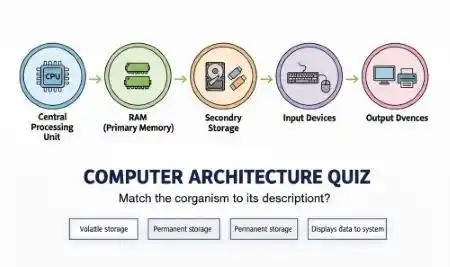
Computer Architecture
Study the design and structure of computer systems, including CPU, memory, input-output devices, and instruction sets. Learn how hardware components interact to execute programs efficiently. This category builds strong foundational knowledge of system-level computing concepts.
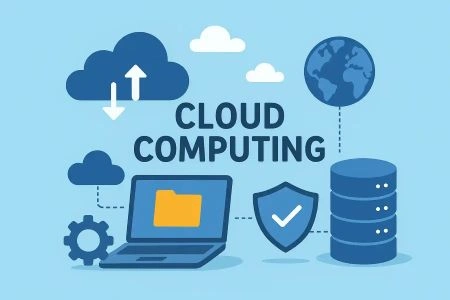
Cloud Computing
Cloud computing is the on-demand delivery of IT resources—including servers, storage, databases, networking, and software—over the internet with pay-as-you-go pricing. Instead of owning and maintaining physical data centers, users access technology services on an as-needed basis from providers.

Algorithm design
Study techniques for creating efficient step-by-step solutions to computational problems. Learn about sorting, searching, recursion, and optimization methods. This category strengthens problem-solving and programming logic skills.